
Quickstart: cloud API
Call OpenAI from Python and see the call in WildEdge, with latency, token use, model, and provider.
Expected time: 2 minutes. You need: Python 3.10+, uv, and an OpenAI API key.
Running models locally instead? See the on-device quickstart. Using LiteLLM or OpenRouter as a gateway? See Gateway setup.
1. Get your DSN
Sign in to WildEdge and create a project. Open API Keys and select Reveal DSN on the project key. Copy it.
The DSN looks like this:
https://<secret>@ingest.wildedge.dev/<key>2. Install
uv init wildedge-quickstart && cd wildedge-quickstart
uv add wildedge-sdk openai
3. Call a model
Save this as app.py:
import wildedge
from openai import OpenAI

# Initialize before creating the client so the integration can track it.
wildedge.init(integrations=["openai"])

client = OpenAI()
response = client.chat.completions.create(
    model="gpt-4o-mini",
    messages=[{"role": "user", "content": "Explain how rain forms in one sentence."}],
)
print(response.choices[0].message.content)

wildedge.flush()  # Send now. Events are otherwise batched every 60 seconds.
Set your keys and run it:
export WILDEDGE_DSN="https://<secret>@ingest.wildedge.dev/<key>"
export OPENAI_API_KEY="sk-..."
uv run python app.py
Prompts and outputs stay local
The reply prints in your terminal. It is not uploaded. WildEdge records timing, token use, and model metadata. Content capture is opt-in. See Captured content.
Using another OpenAI-compatible provider?
Set base_url on the client. WildEdge records the provider on every event. For example, Groq:
import os

client = OpenAI(
    base_url="https://api.groq.com/openai/v1",
    api_key=os.environ["GROQ_API_KEY"],
)
Fireworks, Together, Mistral, DeepSeek, Gemini, Azure OpenAI, and others work the same way. See the provider list. For Anthropic, use integrations=["anthropic"] and the Anthropic client.
4. See your event
Open Events in your WildEdge project. Select the new inference event to see its duration, token counts, model, and provider.
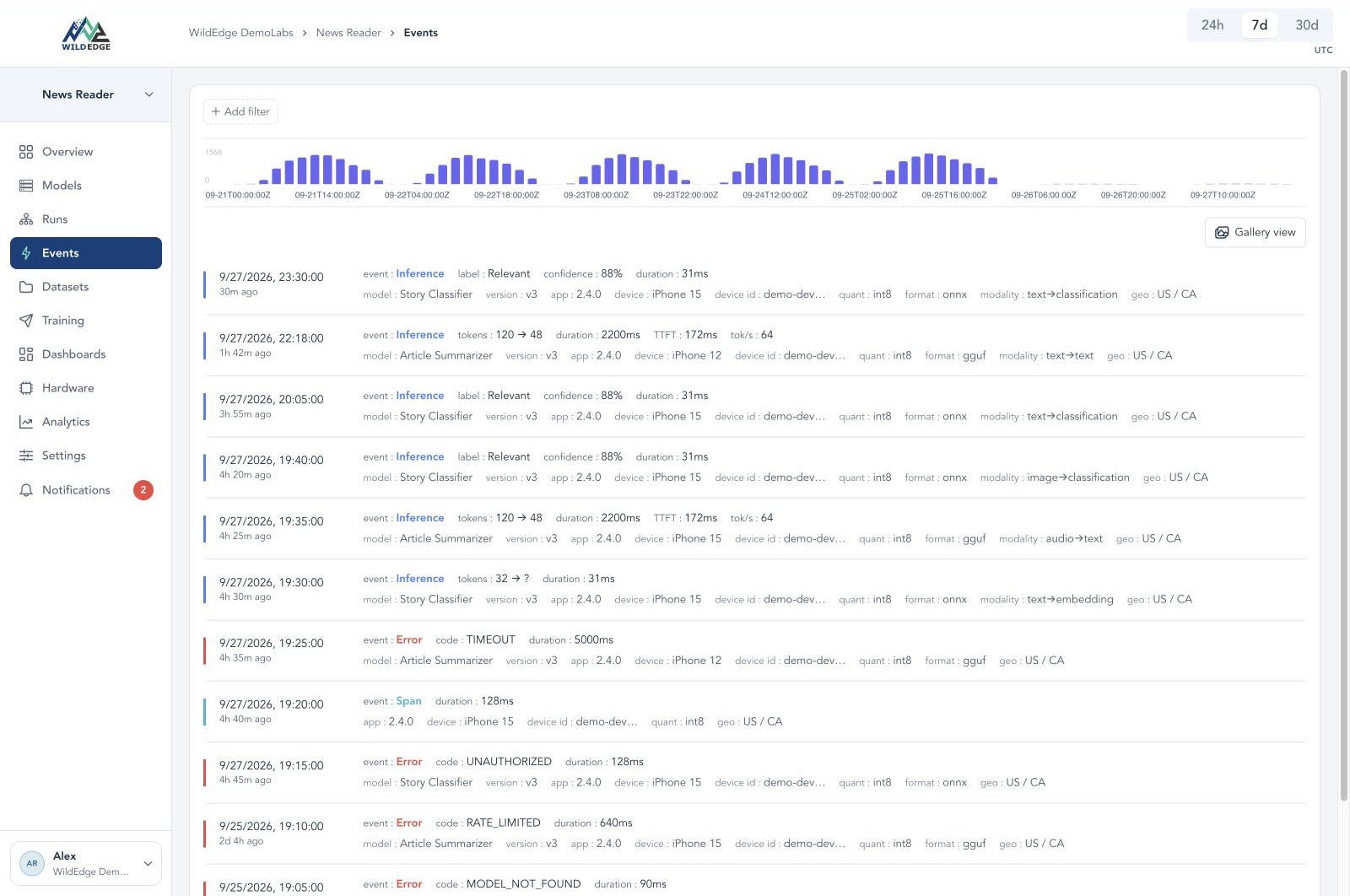
Example from a mobile app. Your list will show the gpt-4o-mini call.
No events? Check that WILDEDGE_DSN is set in the same shell. Without a DSN the SDK does nothing and raises no error. See Missing events or fields.
Next steps
- Learn the building blocks. How WildEdge works explains projects, events, runs, SQL charts, dashboards, and datasets.
- Instrument your own app. Call
wildedge.init(integrations=[...])before you create API clients. Useopenai,anthropic, or both. - Stream responses. Streaming calls record time to first token. See streaming.
- Add a local model. Follow the on-device quickstart, then group local and remote calls into one trace with
wildedge.trace(). See manual tracking. - Ask your agent. Connect Claude Code, Codex, or ChatGPT and ask it to explain your first event.