
Quickstart: on-device model
Run a small language model on your laptop and see the inference event in WildEdge, including the model load and the hardware it ran on.
Expected time: 5 minutes. You need: Python 3.10+ and uv. No GPU and no model API key.
Calling OpenAI or another hosted API instead? See the cloud API quickstart. Building for iOS, macOS, or Android? See Set up app telemetry.
1. Get your DSN
Sign in to WildEdge and create a project. Open API Keys and select Reveal DSN on the project key. Copy it.
The DSN looks like this:
https://<secret>@ingest.wildedge.dev/<key>2. Install
Create a project and add the SDK, Transformers, and the CPU build of PyTorch:
uv init wildedge-quickstart && cd wildedge-quickstart
uv add wildedge-sdk transformers
uv add torch --index pytorch-cpu=https://download.pytorch.org/whl/cpu
The CPU build skips about 2 GB of CUDA libraries that Linux installs by default. The model runs on CPU either way.
3. Run a model
Save this as app.py:
import wildedge
from transformers import pipeline

# Initialize before creating the model so the integration can track it.
wildedge.init(integrations=["transformers"])

model = pipeline(
    "text-generation",
    model="HuggingFaceTB/SmolLM2-360M-Instruct",
    device=-1,  # CPU
)
result = model(
    "Explain how rain forms in one sentence.",
    max_new_tokens=32,
    do_sample=False,
    return_full_text=False,
)
print(result[0]["generated_text"])

wildedge.flush()  # Send now. Events are otherwise batched every 60 seconds.
Set your DSN and run it:
export WILDEDGE_DSN="https://<secret>@ingest.wildedge.dev/<key>"
uv run python app.py
The first run downloads the model (about 700 MB) from Hugging Face.
Prompts and outputs stay local
The generated text prints in your terminal. It is not uploaded. WildEdge records timing, model metadata, and hardware context. Content capture is opt-in. See Captured content.
4. See your event
Open Events in your WildEdge project. You should see two events: a model load and an inference. Select the inference to see its duration, model, and the device it ran on.
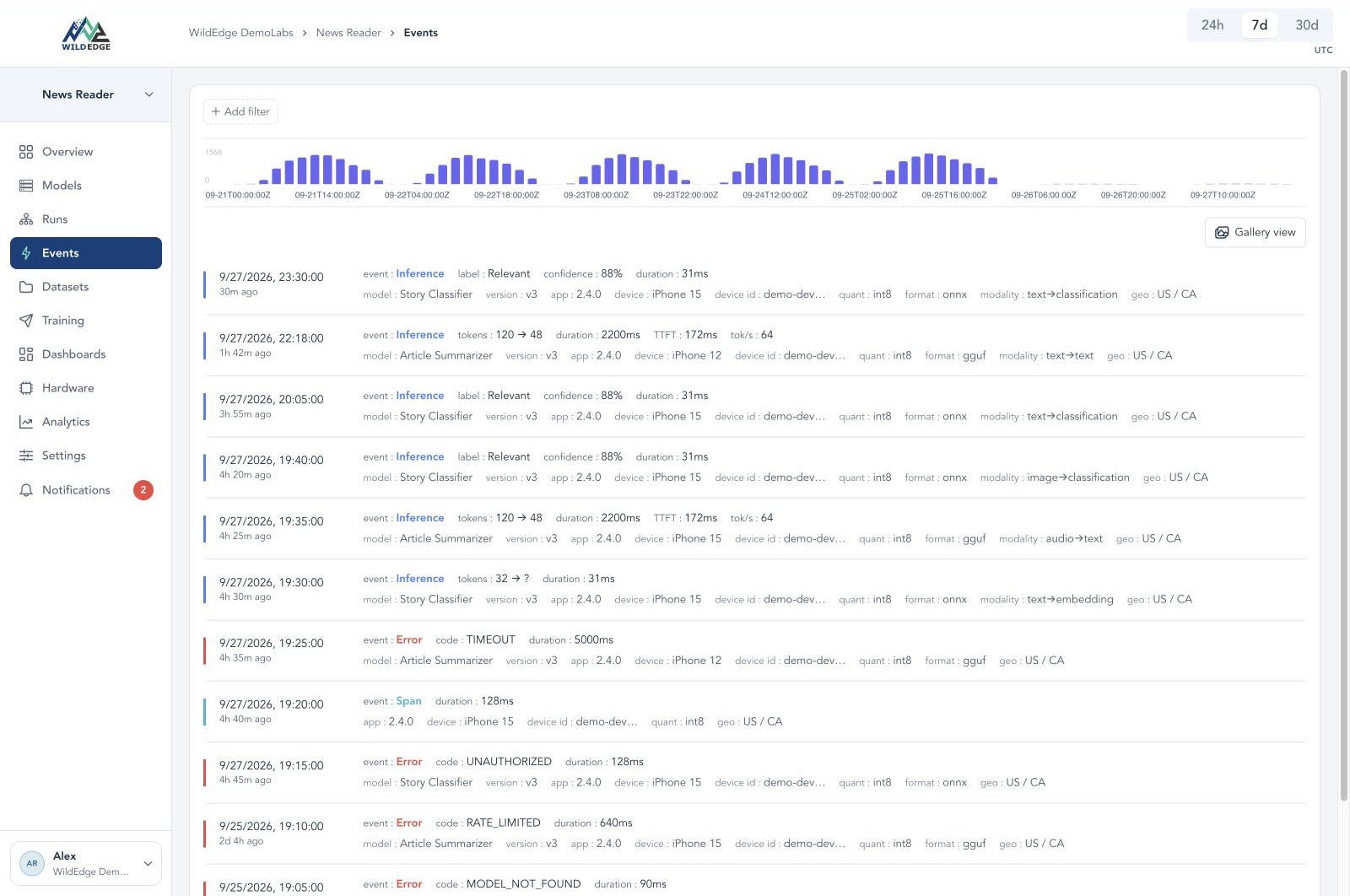
Example from a mobile app. Your list will show the SmolLM2 load and inference.
No events? Check that WILDEDGE_DSN is set in the same shell. Without a DSN the SDK does nothing and raises no error. See Missing events or fields.
Next steps
- Learn the building blocks. How WildEdge works explains projects, events, runs, SQL charts, dashboards, and datasets.
- Instrument your own app. Call
wildedge.init(integrations=[...])before you create models or API clients. Pick keys from the integration list, for exampleopenai,anthropic,llama_cpp, ormlx. - Skip code changes. Start an existing app with
wildedge run --integrations llama_cpp -- python app.py. See the deployment guide. - Trace a workflow. Group local and remote calls into one run with
wildedge.trace()andwildedge.span(). See manual tracking. - Add a cloud call. Follow the cloud API quickstart, then group local and remote calls into one trace.
- Ask your agent. Connect Claude Code, Codex, or ChatGPT and ask it to explain your first event.
- Go mobile. Set up the iOS / macOS or Android SDK.