
Notifications See Demo
Use Notifications to triage failed model calls in a project. Each failure group shows the model, error code, number of failed calls, and when the first and last failures occurred.
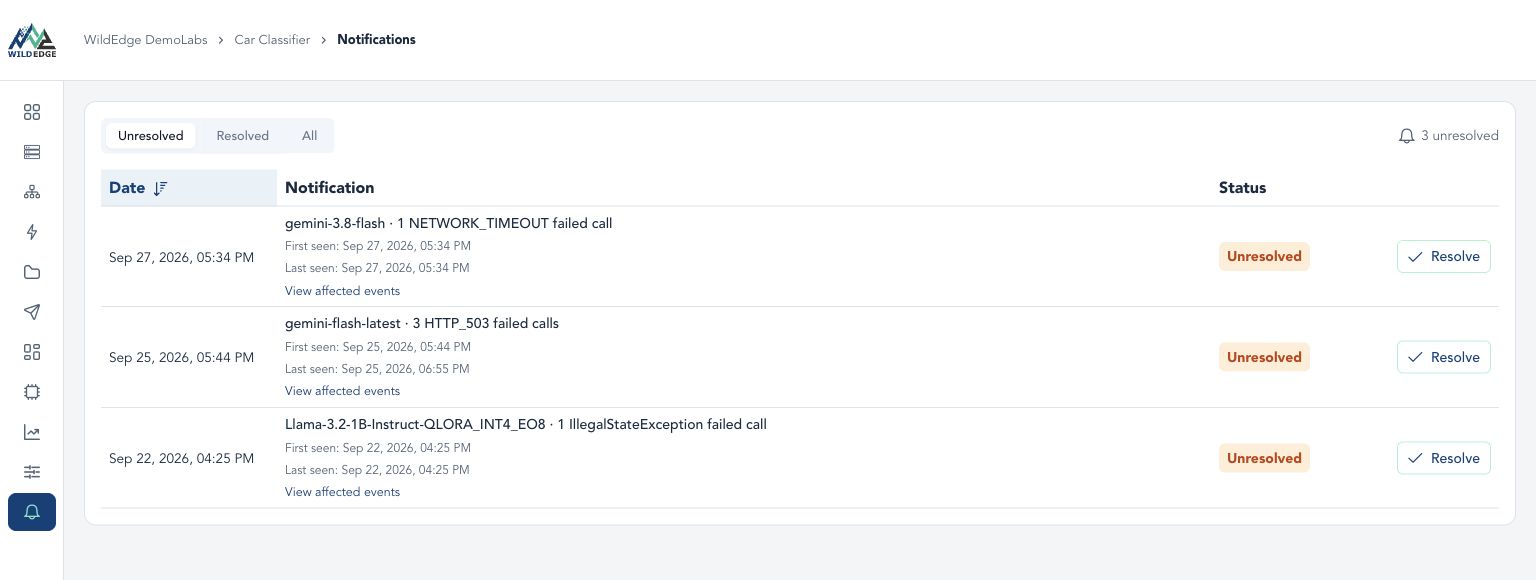 Open full-size screenshot
Triage a failure group
- Review Unresolved. In the Car Classifier queue,
gemini-flash-latestreturned threeHTTP_503failures over about 71 minutes. The first and last timestamps give you a window to compare against deployments or provider incidents. - Select View affected events. In your workspace, this opens Events scoped to the failure window, failed calls, and the group's model and error code. Open an event to inspect the recorded error and any app, device, or gateway context. Some notifications also have View latest event for a direct jump to the last occurrence.
- Resolve after review. Select Resolve in your workspace to move the group out of Unresolved. Use Resolved to revisit previous notifications or All to see both statuses.
The public demo shows the queue. Its View affected events link opens the general Events view, and Resolve is disabled.